


 You must be based in Ontario to enjoy all this online casino features
- Betano Login:
Ontario Players
Betano Ontario Login: Social Sign-In, SMS Codes, BetGuard
Betano Ontario Login: Social Sign-In, SMS Codes, BetGuard
🕑 Updated: 11 November 2026
 Content Writer
 Content Manager
Visit
Support
- Software Providers


To log in to Betano in Ontario, open betano.ca or the Betano app, choose Login and enter your username or email and password, or sign in with the Google or Facebook account you registered with. Betano then checks that you are in Ontario.
Pros
 Google or Facebook sign-in
Optional SMS code at every log-in
Emails on password and phone changes
Hibernated accounts reopen free
Cons
 No log-in from outside Ontario
Username can never be changed
Sessions end after 20 idle minutes
Signing In at betano.ca
Betano gives you three ways in: your username, your email address, or the Google or Facebook account you registered with. Whichever you use, the same account opens the casino, the live casino and the sportsbook.
- Go to betano.ca from a device in Ontario, or open the Betano app.
- Choose Login at the top right. On a first visit the site may open a window with two buttons instead; choose Log In under “I have an account”.
- Enter your username or email and your password, which is case-sensitive.
- If you registered with Google or Facebook, or linked one of them to your account, sign in with that account instead.
- Allow location access when asked, and type the SMS code if you have switched on two-factor authentication.
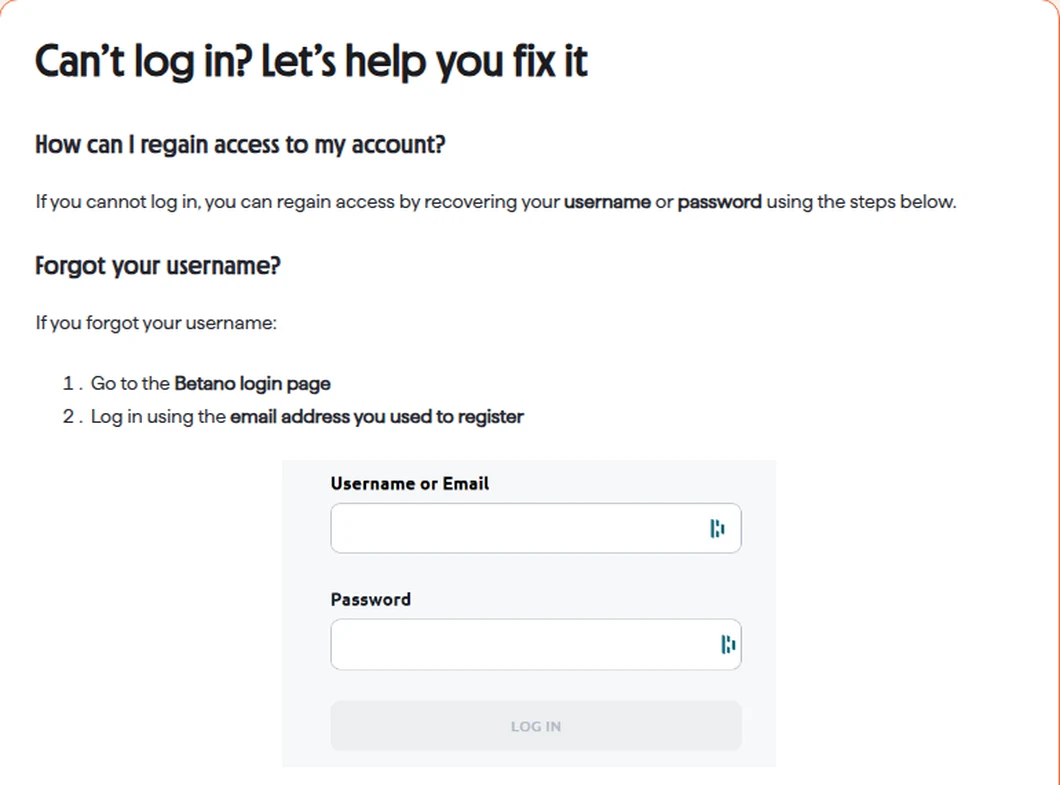
The log-in form as Betano’s Ontario help centre shows it: one field for a username or an email address, and one for the password.
Social Sign-In: Google or Facebook
Betano lets you register and log in with a Google or Facebook account instead of an email address. It saves a password, but it ties your casino account to that social account: if you lose access to the Google or Facebook login, you lose the quick way into Betano with it, so keep a working email address on the account as well.
Forgotten Password, Username or Email
All three have a fix you can do yourself, and the password reset is also how you clear a lock after too many wrong attempts.
Resetting a Betano Password
On the log-in window choose Forgot your password?, then enter your email address or your mobile number, plus your date of birth, and follow the instructions to set a new password. Check the spam or junk folder if the email does not arrive. If you are already logged in, change it under My Account > Profile > Login & Security by entering the current password and the new one; the change applies immediately.
Locked After Wrong Passwords
Too many incorrect attempts lock the account temporarily. Betano does not ask you to wait it out: a password reset unlocks it, and you can log in again as soon as the new password is set. If the app keeps rejecting a password you have just changed, Betano’s own advice is to try the web browser before resetting again.
Forgotten Username, and Usernames That Cannot Change
If the username escapes you, log in with the email address you registered with instead. The username itself is permanent at Betano: it cannot be changed after registration, so there is no request to make. Your email, mobile number, address and occupation can be edited under My Account > Profile > Personal Details; a change of name goes through Customer Support.
A New Email Address
To replace the email on the account, choose Edit next to it in Personal Details. Betano sends a 4-digit code to your mobile number and a one-time code to the new address, and you enter both. If you can no longer get into the account at all, Customer Support handles the change.
SMS Codes, Alerts and Automatic Log-Outs
Betano protects the account in three layers: an optional SMS code at every log-in, an email whenever the password or phone number changes, and an automatic log-out when the session goes quiet.
Two-Factor Authentication by SMS
Switch it on under My Account > Profile > Login & Security: toggle Two-Factor Authentication and confirm with your password. From then on every log-in needs the code texted to your registered phone number. Turning it off is the same toggle, with a confirmation.
Password and Phone Change Alerts
Whenever the password or the phone number on the account changes, Betano emails you, whether you made the change or someone else did. A genuine alert comes from noreply@betano.ca; if you did not make the change, reset the password at once.
The 20-Minute Log-Out
After 20 minutes without activity Betano logs you out, and logging in on another device or browser can end the session you already have open. Neither is a fault: log in again to carry on. On a shared or public device, log out yourself when you finish.
Location Checks: When Betano Will Not Let You In
Betano locates you before it lets you play, using your IP address, Wi-Fi and GPS data on a phone, and your mobile network. Most failed checks come down to a setting, a forbidden program or the place you are standing.
- Permissions: allow location for the Betano app in your phone’s settings, or for the browser you use. On Windows it is Settings > Privacy > Location; on a Mac, System Settings > Privacy & Security > Location Services.
- Wi-Fi: on a phone, a Wi-Fi connection locates you more accurately than mobile data.
- Prohibited software: a VPN, proxy, rooted or jailbroken phone, location masking tool or emulator fails the check, and the geolocation provider can flag you for a temporary or permanent block.
- Prohibited places: tribal land, casino property, federal land and stretches of highway that leave the province all fail, even inside Ontario.
Outside Ontario the site is blocked: you cannot reach betano.ca, log in or play until you are back in the province. Nothing happens to the account meanwhile. It is not closed or changed, and the balance stays where it was.
When BetGuard Blocks the Log-In
If you have enrolled in BetGuard, Ontario’s province-wide self-exclusion, Betano has to refuse the log-in, and you will see a notice on screen saying a provincial block is in place. It also stops new registrations at every regulated site.
- Betano cannot lift it. Customer Support has no way to override or shorten a BetGuard exclusion; the BetGuard Call Centre at 1-833-776-7171 handles it.
- The end of the term does not reopen the account. A seven-year extended protection period follows, iGaming Ontario has to approve reinstatement, and only then can Betano review the account.
- Your money comes back automatically. Betano refunds the balance to your registered payment method within 24 hours of the exclusion, and sports bets on events more than 24 hours away are cancelled and refunded.
- Two separate exclusions. A self-exclusion set on Betano itself covers only betano.ca and runs independently of BetGuard; if you have both, each must expire on its own.
Enrol only at the official site, betguard.ca. iGaming Ontario has warned about third parties copying the BetGuard name to give misleading advice about opting out.
The Betano App
One Betano app per platform covers the casino and the sportsbook, and it takes the same log-in as the website; downloads and the copies to avoid are in our Betano app guide. On the Canadian App Store it is Betano – Online Betting, which runs on iOS 15 or later; on Google Play it is Betano – Online Betting too, package com.kaizengaming.betano. Download it only from those official listings, never from a link on another site. The Ontario casino apps compared guide shows how it rates against the rest.
Dormant, Closed and New Accounts
An account you stop using is put to sleep rather than closed, and one you close yourself can be reopened.
- Hibernation: after 12 months without a log-in the account goes into hibernation. Customer Support reopens it, and there is no fee for doing so.
- Closing: go to My Account > Profile > Account Closure. You can ask to reopen later, after a 24-hour delay.
- Opening an account: register with Google, Facebook or an email address, from a device in Ontario, at 19 or older. Use the name, date of birth and address on your photo ID, because Betano verifies them against documents.
Support runs through live chat, started from Start Conversation at the bottom of the help centre, which opens with a virtual assistant before a person, and through a contact form, which Betano says has replaced email. The general terms also list a telephone line, 1 (343) 338-4458, for account questions Betano will not answer by email; the help centre does not mention it. Every route to an agent is in our Betano customer service guide, and the Betano Ontario review covers the games, the payout rules and the complaints route in full.
FAQ’s – Frequently Asked Questions
- Can I log in to Betano with my Google or Facebook account?
Yes, if you registered with that account or linked it to your Betano account. Choose Login on betano.ca or in the app and sign in with Google or Facebook instead of typing a username or email and password.
- What do I need to reset a Betano password?
Your email address or mobile number, and your date of birth. Choose Forgot your password? in the log-in window and follow the instructions. A reset also unlocks an account locked after too many wrong passwords.
- Why does Betano log me out after 20 minutes?
It is a security setting: Betano ends a session after 20 minutes without activity, so an unattended device cannot be used on your account. Logging in on another device can also end the current session. Simply log in again.
- Why can I not log in to Betano after joining BetGuard?
BetGuard, Ontario’s province-wide self-exclusion, requires every regulated site to block your log-in. Betano cannot override it. Your balance is refunded automatically within 24 hours, and reinstatement goes through BetGuard on 1-833-776-7171.
- Can I change my Betano username?
No. The username is permanent once the account is created. You can still log in with your email address, and edit your email, phone number and address under My Account, Profile, Personal Details.
Betano Ontario Login: Key Points
Log in at betano.ca or in the Betano app with a username or email and password, or with the Google or Facebook account you registered with. A forgotten password needs your email or mobile number and date of birth, and the same reset clears a lock.
Switch on the SMS code for every log-in, expect to be signed out after 20 minutes of inactivity, and play only from inside Ontario, away from the places Betano cannot locate you. A BetGuard exclusion blocks the log-in, and only BetGuard can lift it.









