


 You must be based in Ontario to enjoy all this online casino features
- PowerPlay Login:
Ontario Players
PowerPlay Ontario Login: The Right Site and Password Resets
PowerPlay Ontario Login: The Right Site and Password Resets
🕑 Updated: 11 November 2026
 Content Writer
 Content Manager
Visit
Support
- Software Providers


To log in to PowerPlay in Ontario, go to on.powerplay.com or the PowerPlay app, choose Login and enter your email address and password. Check the address starts with “on.”: the plain powerplay.com is a different company, and your Ontario account does not work there.
Pros
 Live chat inside the log-in window
Two phone lines, open 24/7
Simple email and birth-date reset
Five time-out lengths to choose from
Cons
 Lookalike powerplay.com is another company
Log-ins alone do not prevent dormancy
Detail changes go through support
Logging In at on.powerplay.com
PowerPlay signs you in with the email address on your account and your password; there is no separate username. The same log-in opens the casino, the live casino and the sportsbook.
- Go to on.powerplay.com from a device in Ontario, or open the PowerPlay app.
- Choose Login at the top right.
- Enter your email and password; the eye icon shows the password if you want to check it.
- Choose Login. Doing so confirms you are fit to play and that your account details are up to date.
- Allow the location check when asked, so PowerPlay can confirm you are in Ontario.
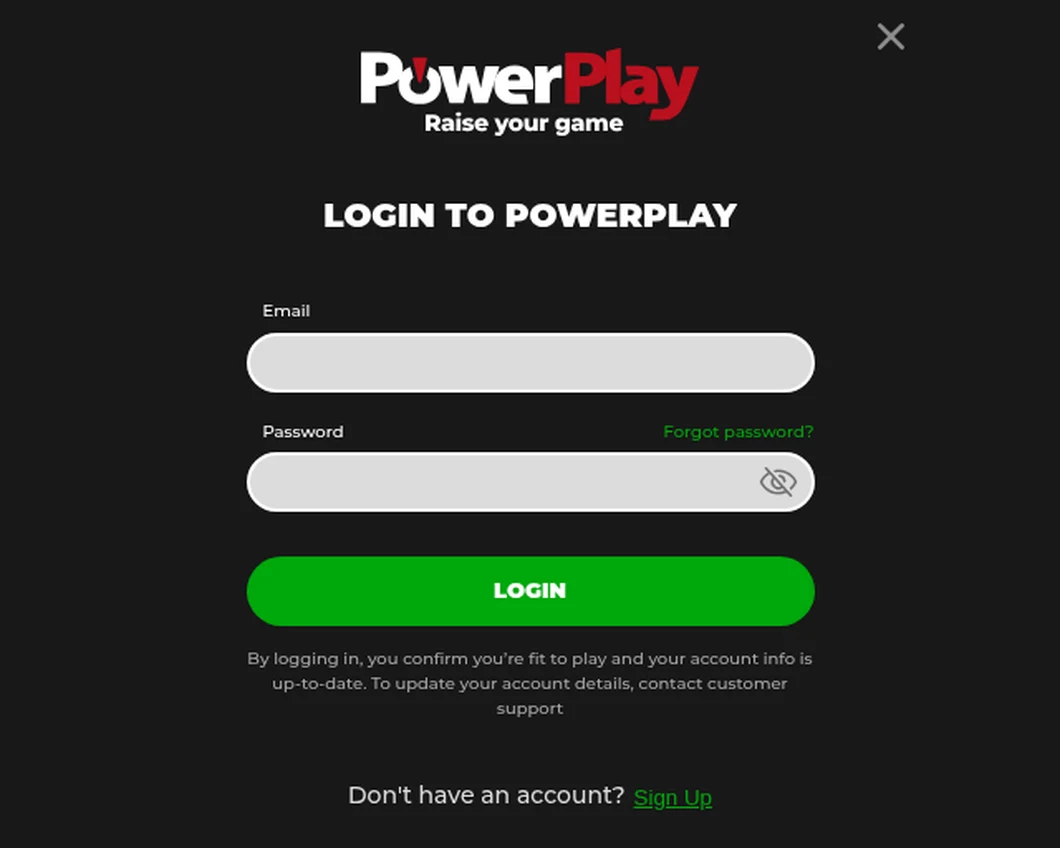
The PowerPlay log-in window, opened from Toronto. The live chat button at the bottom works before you sign in.
Help Before You Sign In
The log-in window carries its own Live Chat button, so a problem getting in does not cut you off from support. PowerPlay says chat is the quickest route, and it is open 24 hours a day.
Two PowerPlays: Check You Are on the Ontario One
Your Ontario account exists only at on.powerplay.com. The bare powerplay.com belongs to a different company on an offshore licence, and typing your details there gets you nowhere.
- Address: on.powerplay.com, where “on” stands for Ontario.
- Footer: Trillium Ventures Limited, AGCO registration OPIG1242190, and an agreement with iGaming Ontario.
- Never: a Curacao licence anywhere on the page.
From outside the province on.powerplay.com does not show a lobby or a log-in at all, only a notice that the service is available in Ontario only. That is the site working as it should, not a fault with your account.
Forgotten Password and Account Details
A forgotten password takes two details and an email. Choose Forgot password? beside the password field, enter your email address and your date of birth (year, month and day), and choose Submit. PowerPlay emails you a link to set a new password; if it does not arrive, look in the spam or junk folder before asking for another.
Changing Your Email, Phone or Name
The terms make you responsible for keeping your name, address, email, phone number and occupation current, and the log-in window says how: contact customer support. That matters for the reset above, because the link goes to the email on file. If that address no longer works, update it through support before you need it.
A Strong Password, Kept to Yourself
PowerPlay asks for a “strong and unpredictable” password and holds you responsible for keeping your log-in details secret. Its terms put any loss from someone else using your account on you if you allowed that use, so do not share the password and do not reuse one from another site.
PowerPlay’s Location Checks
PowerPlay must confirm you are physically in Ontario, and it checks at log-in and again at intervals while you play.
- On a computer: after registering, and before your first wager, you may be asked to download a plugin from PowerPlay’s location provider.
- On a phone: mobile location works only on selected carriers, and may fail while the phone is roaming or has location turned off.
- Forbidden: VPNs, proxies, virtual machines and any program that hides your location. Using one breaks the terms and can get the account suspended or closed.
Location data travels encrypted to PowerPlay’s servers, and the terms allow it to be used in any investigation of the account. Turn off VPNs before you open the site, not after the check fails.
When the Log-In Is Blocked on Purpose
Some log-in refusals are protections you or the province switched on, and none of them can be shortened once started.
- Time-out: one day, one week, one month, two months or three months. You cannot log in or bet until it ends; the account then reopens by itself.
- Self-exclusion: six months, one year or five years, with no reopening for any reason before the end. The account then reopens automatically, though PowerPlay has the final say.
- Account closure: from the Account Closure page or through support. You cannot log in while closed, pending bets are cancelled, and you can still withdraw the balance; support reopens the account if you ask.
- BetGuard: if you are on the province-wide self-exclusion list, PowerPlay must deny or suspend access to your account and cannot open a new one. It re-checks the list throughout the life of the account.
A gentler tool sits alongside these: the reality check, a pop-up at an interval you choose, which lets you carry on or log out on the spot.
Dormant Accounts: Logging In Is Not Enough
After twelve months without activity a PowerPlay account counts as dormant and can be closed, and simply logging in does not reset that clock. To keep it active you need a real-money wager, a deposit or a withdrawal within the twelve months.
PowerPlay emails you a month before the account goes dormant, saying what happens next and whether you have money in it. If you do not withdraw the balance within a month of that notice, the terms let PowerPlay seize it. If you are leaving a balance for a while, withdraw it instead.
The PowerPlay App
One app covers the casino and the sportsbook, with the same email and password as the website; finding it in the stores is covered in our PowerPlay app guide. On the App Store it is PowerPlay: Sportsbook & Casino; on Google Play, PowerPlay.com Official App. Install it from the store itself rather than from a link elsewhere. Both stores label it 18+, but Ontario’s minimum age of 19 is the one that applies. See how it rates in our Ontario casino apps compared guide.
Getting Help and Opening a PowerPlay Account
PowerPlay is one of the few Ontario casinos with a phone line. Support is open 24/7 by live chat, by email at support@powerplay.com, and by phone on +1 249 444 1331, the Ontario number on the support page, or toll-free on +1 833 578 1331; the terms also list Facebook Messenger.
- Choose Sign Up on on.powerplay.com, or the link under the log-in form.
- Give your full name, email, address, citizenship, date of birth, phone number, occupation, employment status and PEP/HIO status, and choose a password.
- Let PowerPlay check your details with Equifax or TransUnion and your photo ID automatically; if the electronic check fails, you upload documents, which can include a selfie.
- Set deposit and loss limits before your first deposit; once a deposit limit is set it can be changed but not removed.
You cannot bet until your identity and employment status are verified, you must be 19 or older and in Ontario, and one person may hold only one account. The PowerPlay Ontario review covers the games, payments and support in full.
FAQ’s – Frequently Asked Questions
- Can I log in at powerplay.com with my Ontario account?
No. Ontario accounts work only at on.powerplay.com, run by Trillium Ventures Limited under AGCO registration OPIG1242190. The bare powerplay.com belongs to a different company on an offshore licence.
- How does the PowerPlay password reset work?
Choose Forgot password? in the log-in window, enter your email address and date of birth and choose Submit. PowerPlay emails a link to set a new password. If the email on file no longer works, contact support first.
- Does logging in keep a PowerPlay account active?
No. An account with no real-money wager, deposit or withdrawal for twelve months counts as dormant and can be closed. PowerPlay emails a month beforehand, and a balance left unclaimed after that notice can be seized.
- Can I contact PowerPlay support without logging in?
Yes. The log-in window has its own Live Chat button, and support also answers by email at support@powerplay.com and by phone on +1 249 444 1331 or toll-free on +1 833 578 1331, 24 hours a day.
- Can I end a PowerPlay time-out early?
No. A time-out of one day to three months cannot be shortened once it starts, and you cannot log in until it ends. The account then reopens automatically.
PowerPlay Ontario Login: Key Points
Log in at on.powerplay.com, never the bare powerplay.com, or in the PowerPlay app, with your email address and password. A forgotten password needs your email and date of birth, and the reset link goes to the email on file, so keep it current through support.
Turn off any VPN before the location check, and remember that time-outs and self-exclusion cannot be cut short. An account needs a wager, deposit or withdrawal within twelve months to stay active, and live chat is available from the log-in window itself.





